

Instagram is no longer just a photo-sharing platform anymore.
The platform has completely transformed from being a static photo-sharing platform to a short video-sharing platform.
Instagram reels are not just a feature; it’s are a global phenomenon, with users consuming a staggering 17.6 million hours of reel content every single day.
The best part about Instagram reels is you can save your favorite reels for future reference.
But if you’re not a regular Instagram user or new to Instagram, you might find it confusing to figure out where all your saved Instagram reels are stored.
Saving Instagram reels is the easiest part, and finding that saved reel can be a bit challenging as it’s hidden under the Instagram settings.

In this post, we’ll walk you through how to find saved Instagram reels on your mobile or desktop device with ease.
Keep reading this post to know more.
How to Find Saved Reels on Instagram
It’s super easy to find saved Instagram reels on a mobile device.
All you have to do is follow some easy steps, and you can access your saved Instagram reels within a few seconds.
Step 1. Open Instagram and head over to your profile.
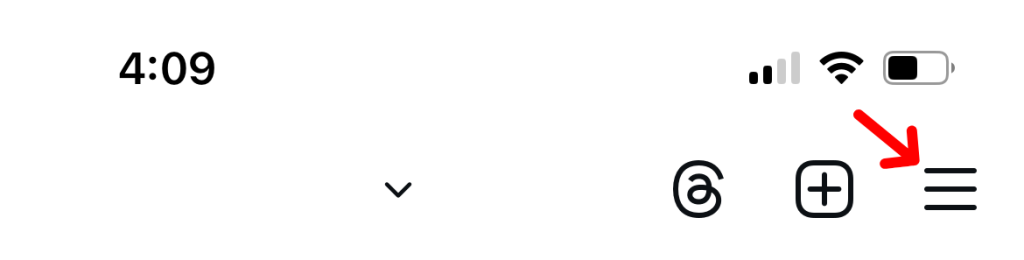
Step 2. Tap on the “Hamburger Menu” from the top right side of the screen.
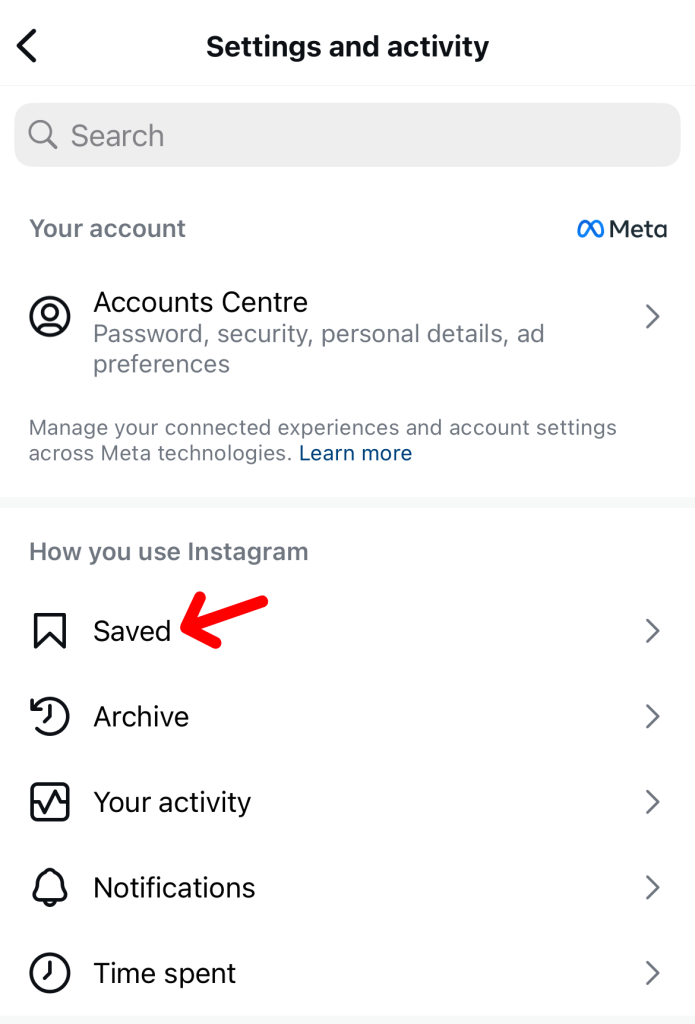
Step 3. Now, tap on “Saved” and again tap on “All Posts”.
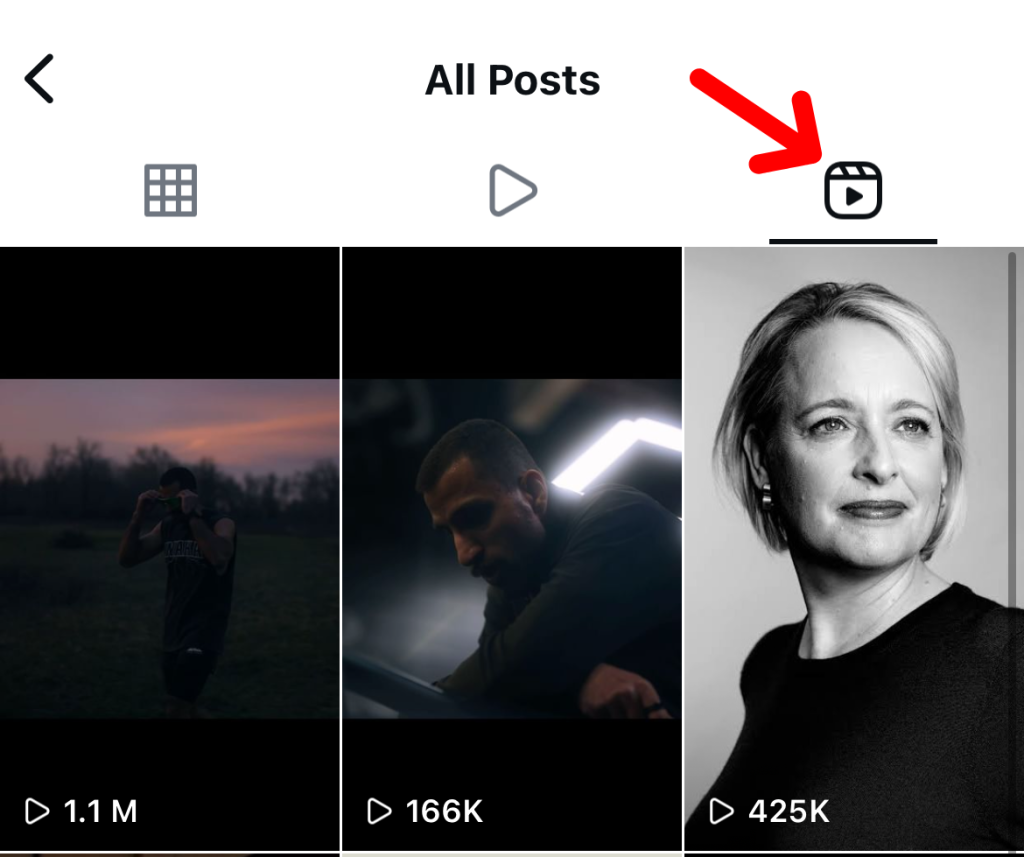
Step 4. Finally, click on the “Reel” icon to find all your saved Instagram reels in one place.
These same steps apply to all kinds of mobile devices, including iPhones and Androids.
How to Find Saved Instagram Reels on Desktop
Now, what if you don’t use Instagram on your mobile device and prefer to use the Instagram web version on your laptop or desktop?
Don’t worry; you can also access your saved Instagram reels on your desktop device.
To do that, follow the steps mentioned below:
Step 1. Head over to www.instagram.com and log in to your profile.
Step 2. Tap on “More” from the bottom right side of the screen.

Step 3. Tap on “Saved” and “All Posts”.
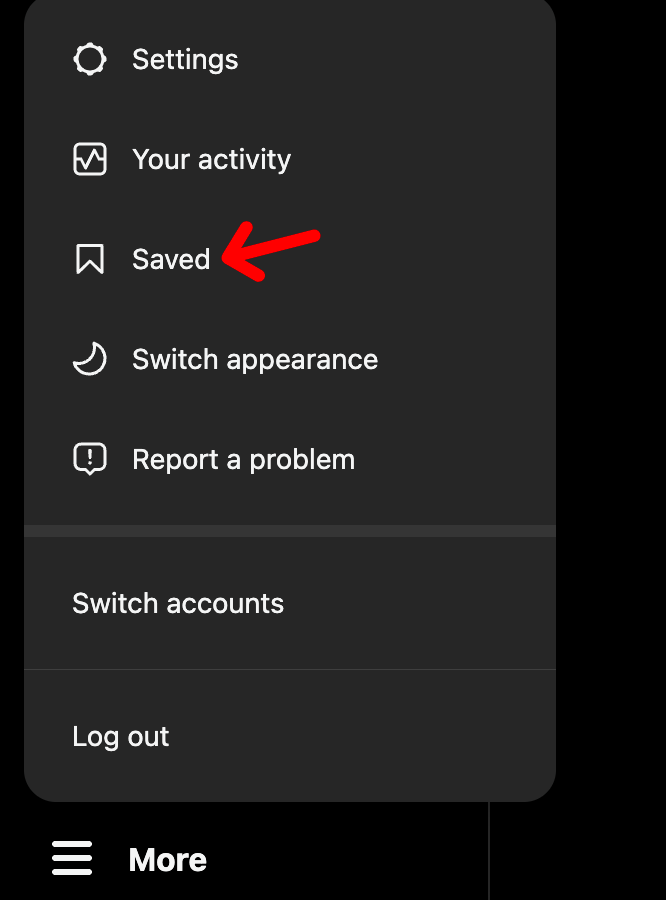
Here, you can see all of your saved Instagram reels along with the images you have saved.
How to Find Saved Draft Reels on Instagram
When I created my first-ever reel on the platform, I edited the video and saved it in the drafts folder so I could go back and post the next day.
But when it was time to post the reel, I had to spend almost half an hour locating the drafts folder in Instagram.
If you’re also struggling to find the saved draft reels on Instagram, here’s what you have to do:
Step 1. Open Instagram and head over to your profile.
Step 2. Tap on the “+” (plus) icon and select reels “Reel.”
Step 3. Now, tap on “Drafts,” and you will see all of your saved draft reels in that folder.
How to Remove Saved Reels on Instagram
Removing saved Instagram reels from the platform is also relatively easy.
Here’s what you have to do:
Step 1. Head over to Instagram and tap on the “Hamburger” menu.
Step 2. Tap on “Saved” and select “All Posts”.
Step 3. Tap on the “Reel” icon from the top bar and choose the reel you want to remove from that saved folder.
Step 4. Once you find the reel, open it and tap on the “Three Dot” menu.
Step 5. Finally, tap on “Saved” once again, and that reel will disappear from your Instagram saved folder instantly.
FAQs Related to Finding Saved Instagram Reels
Are my saved Instagram reels visible to others?
No, your saved Instagram reels are not visible to others. Only you can access and see your saved reels on Instagram.
Is there a limit to how many reels I can save on Instagram?
No, there is no limit. You can save as many reels as you want without any limitation.
Why can’t I find my saved reels on Instagram?
You’re unable to find your saved reels on Instagram because you may not have saved them in the first place, or the reel creator may have deleted the reel from their profile.
Can I mass delete saved Instagram reels?
No, you can only manually delete saved Instagram reels one by one. Instagram does not allow the mass deletion of saved Instagram reels at once.
Conclusion
If you’re new to the platform, finding your saved Instagram reels might look confusing.
But once you locate the place where all your saved Instagram reels are stored, you can navigate with ease.
Follow the instructions given in the content and save your precious time.
Join the Discussion
Be the first to share your thoughts!